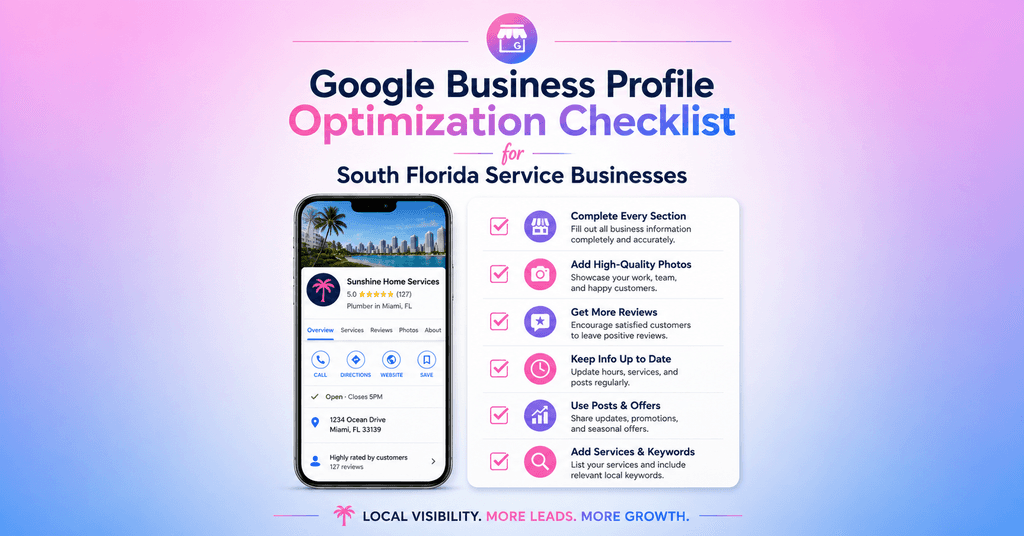
Google Business Profile Optimization Checklist for South Florida Service Businesses
SEO Optimization
8
min read
If there's one thing every South Florida service business should prioritize in 2026, it's this.
Not paid ads. Not a brand new website. Not social media. Your Google Business Profile.
Google Business Profile is no longer just a listing. In 2026, it is the primary discovery layer for local businesses across Google Maps, AI answers, and zero-click searches. When someone in Coral Springs searches for a plumber, or a homeowner in Boca Raton looks for a web designer, or a business owner in Doral needs an electrician — the first thing they see isn't your website. It's your GBP.
A fully completed, actively maintained GBP consistently outranks an incomplete one in local map pack results, regardless of website size or domain age. You don't need to outspend your competitors. You need to out-optimize them.
This is the complete optimization checklist we use at Wisdom Studios for South Florida service businesses. Work through every section and you'll have the most complete, competitive Google Business Profile in your market.
64% Of consumers use GBP to find business contact details | 42% More direction requests for businesses with photos | Top 3 Map Pack positions go to the most complete, active profiles |
Before You Start: Claim and Verify Your Profile
Everything starts at business.google.com. If you haven't claimed your business listing yet, do that first. Google will send a verification code to your business address or phone number.
If your business already has a listing you didn't create — which happens frequently in South Florida — you'll need to claim it. Search your business name on Google Maps and look for the 'Claim this business' link on the listing.
One important note before you do anything else: your business name on Google must match your real-world business name exactly. No keywords. No city names. No 'best' or 'top' or '#1' in the name field.
⚠️ Critical 2026 warning: Google's March 2026 Core Update has been suspending profiles with keyword-stuffed business names. If your business name on Google includes anything beyond your actual company name, remove it immediately. Suspended profiles disappear from local search overnight and can take weeks to reinstate. |
Section 1: The Foundation — Get These Right First
Most businesses fail at the foundation level. These are the fields that determine whether Google can confidently recommend your business. Don't skip any of them.
☑ Business Information |
☐ Business name matches your real-world name exactly — no keywords, no city names added |
☐ Primary category selected — the most specific, accurate option for your core service |
☐ Secondary categories added for any additional services you actively offer |
☐ Business description written (750 characters) — includes what you do, who you serve, and your city/service area naturally |
☐ Phone number is correct and matches your website and all other listings |
☐ Website URL is linked and working correctly |
☐ Physical address verified (if you have a storefront) OR service area set accurately |
☐ Service area includes every city you serve — Miami, Fort Lauderdale, Coral Springs, Davie, etc. |
☐ Business hours are accurate and up to date |
☐ Special hours set for holidays and closures |
☐ Opening date added |
Why primary category matters more than most people realize: Primary category selection is the single most impactful field in your Google Business Profile — it determines which queries your listing is eligible to rank for. A plumbing company that selects 'Contractor' instead of 'Plumber' is invisible to the most valuable local searches. Be as specific as possible.
On your business description: Lead with concrete details. Naturally weave in a location reference, but do not force it. Google's AI understands context now, so keyword stuffing in your description will hurt you more than help you. Write like you're explaining your business to a neighbor.
Section 2: Services and Products — Tell Google Exactly What You Do
This section is where most South Florida service businesses leave the most opportunity on the table. Google lets you list your specific services with names, descriptions, and prices. Use all of it.
☑ Services |
☐ Every service you offer is listed individually — don't group them all under one entry |
☐ Each service has a clear name that matches how customers search (e.g. 'Emergency Plumbing' not 'Plumbing Services') |
☐ Service descriptions include what the service is and who it's for |
☐ Prices added where applicable — even ranges like '$150–$400' build trust and reduce tire-kickers |
☐ Services reviewed against what your top local competitors are listing |
For South Florida contractors and home service businesses specifically — the more granular your service list, the better. Don't just list 'Roofing.' List: Roof Inspection, Roof Repair, Roof Replacement, Storm Damage Repair, Flat Roof Installation, Tile Roof Repair. Each one is a keyword Google can match to a search. Each one is a potential customer.
Section 3: Photos — The Most Overlooked Ranking Factor
Businesses with photos get 42% more requests for directions and 35% more website clicks. Yet photos are the most consistently neglected section of every GBP we audit.
For South Florida service businesses, photos do double duty — they prove you're a real, active operation and they build the trust that converts a profile visitor into a call.
☑ Photos |
☐ Profile photo: your logo or a professional headshot — clean, high resolution |
☐ Cover photo: your best work, your team, or your branded vehicle/storefront |
☐ At minimum 10 photos uploaded to start — aim for 20+ over time |
☐ Photos include: team/staff, completed work or projects, your location or vehicles, before/after shots where applicable |
☐ Photos are recent — at least some uploaded within the last 90 days |
☐ Photos are named with descriptive filenames before upload (e.g. 'plumbing-repair-coral-springs.jpg' not 'IMG_4823.jpg') |
☐ 360-degree photo or virtual tour added if you have a physical location |
☐ Video added — even a 30-second walkthrough of your work or team goes a long way |
South Florida tip on photos: Show your actual work in your actual service area. Photos of a roof job in Pembroke Pines, a kitchen renovation in Coral Springs, a plumbing fix in Sunrise — these tell both Google and potential customers that you're local and active in the community. Stock photos won't cut it. Real photos from real jobs will. |
Section 4: Reviews — The Lifeblood of Local Rankings
Reviews are the lifeblood of local search. Profiles with strong review counts consistently earn more clicks, more trust, and higher placement in the Local Pack. If you are only getting reviews when someone randomly feels compelled to leave one on their own, you will fall behind competitors who have built a repeatable system.
☑ Reviews |
☐ You have a direct Google review link ready to send to customers (find it in your GBP dashboard under 'Ask for reviews') |
☐ A system is in place to request reviews within 24 hours of every completed job |
☐ You have at least 10 reviews — ideally 25+ to be competitive in most South Florida markets |
☐ Your most recent review is less than 30 days old — recency matters as much as volume |
☐ Every review has been responded to — positive and negative |
☐ Responses to negative reviews are calm, professional, and solution-focused |
☐ You never offer incentives for reviews — this violates Google's policies and risks suspension |
☐ You never ask employees or family members to leave reviews |
On responding to reviews: Ongoing maintenance through review management signals continued activity to Google. Inactive listings gradually lose relevance and ranking strength. When you respond to reviews — especially within 24 hours — you're telling Google this is a real, active business. Make every response personal, not templated. Mention the customer's name. Reference the specific job or service. Thank them genuinely. For negative reviews, acknowledge the issue, offer to resolve it, and keep your response brief and professional.
Section 5: Q&A — A Section Almost Nobody Uses (Which Is Your Advantage)
The Q&A section of your Google Business Profile lets anyone ask questions — and lets you answer them. Most businesses in South Florida either don't know this section exists or have left it completely blank.
That's your opportunity.
☑ Q&A |
☐ You've added at least 5 questions and answers yourself — don't wait for customers to ask |
☐ Q&A covers: your service area, your hours for emergencies, your pricing range, your licensing/insurance status, how long jobs typically take |
☐ Q&A is monitored for new questions — unanswered questions left sitting look unprofessional |
☐ Answers include your city and service area naturally where relevant |
Think of the Q&A section as a mini FAQ that shows up directly on your Google listing. Questions like 'Do you serve Coral Springs?' or 'Are you licensed and insured in Florida?' answered clearly and publicly build trust before the customer even visits your website. Google's AI reads your Q&A section when building local recommendations. Feed it the right information.
Section 6: Google Posts — Your Free Weekly Marketing Channel
How often should you post on Google Business Profile? Weekly is a solid target for most local businesses. One helpful update per week keeps your profile looking active and gives customers a reason to engage.
Google Posts appear directly on your listing in search results and Maps. They expire after 7 days, which is exactly why consistency matters. A profile with no recent posts looks abandoned. A profile with weekly updates looks like a thriving, active business.
☑ Google Posts |
☐ At least one post published in the last 7 days |
☐ Posts include a clear call to action — 'Call Now,' 'Get a Quote,' 'Learn More' |
☐ Post types rotate: offers, updates, job highlights, seasonal content, tips |
☐ Photos included in every post — posts with images get significantly more engagement |
☐ South Florida seasonal content used where relevant — hurricane season prep, holiday hours, summer specials |
What to post if you're not sure where to start:
|
Section 7: NAP Consistency — The Signal Most People Forget
Consistency across the web strengthens your local authority. Even small inconsistencies can weaken trust signals. Your Name, Address, and Phone number need to be identical everywhere — not just on your GBP, but across your website, Yelp, Facebook, Apple Maps, Bing Places, the BBB, and every local directory you're listed in.
☑ NAP Consistency |
☐ Business name is identical across all platforms — no abbreviations, no variations |
☐ Phone number is the same everywhere — including your website header, footer, and contact page |
☐ Address format is consistent — '123 Main St' vs '123 Main Street' is a discrepancy |
☐ Listed in South Florida local directories: Greater Fort Lauderdale Chamber, Greater Boca Raton Chamber, Miami-Dade Chamber, InFlorida.com |
☐ Listed in agency/industry directories: Yelp, BBB, Angi, HomeAdvisor (if applicable) |
☐ Old phone numbers or addresses from previous listings have been updated or removed |
☐ Your website's contact page matches your GBP information exactly |
Section 8: Ongoing Monthly Maintenance — What Keeps You Ranked
Businesses that treat their GBP as a living asset dominate Maps, AI answers, and local leads. Those who 'set it and forget it' disappear. Google rewards active profiles. The algorithm interprets consistent updates as a signal that your business is operational, trustworthy, and engaged.
☑ Monthly Maintenance |
☐ Check for unwanted edits — Google allows anyone to suggest changes to your profile. Review and reject inaccurate ones |
☐ Respond to any new reviews within 48 hours |
☐ Publish at least 4 posts per month (1 per week minimum) |
☐ Add 2–5 new photos — recent job photos, team updates, seasonal content |
☐ Review and answer any new Q&A questions |
☐ Update hours for upcoming holidays or seasonal changes |
☐ Check your GBP insights — are calls increasing? Are direction requests growing? Track the trend |
☐ Compare your profile to top competitors quarterly — are they adding services or photos you're missing? |
Your GBP Optimization Score
Use this as a quick self-assessment. For each section, ask yourself honestly: is it complete, accurate, and actively maintained?
Quick Score Guide
|
Want It Done for You?
Working through this checklist yourself is absolutely possible. But if you'd rather have someone do the full audit, build out every section properly, set up your review system, and manage your monthly maintenance — that's exactly what we do at Wisdom Studios.
We've helped service businesses across Miami-Dade, Broward, and Palm Beach County build Google Business Profiles that rank, convert, and generate consistent leads. Combined with a properly structured website, the results compound fast — as we covered in our post on how Google's AI is changing local search for South Florida businesses.
And if your website isn't showing up on Google either, start with our guide on why your website isn't showing up on Google and how to fix it — the GBP and your website work together as one system.
Ready to stop being invisible on Google Maps? Let's build your profile the right way. Let's work. |
Wisdom Studios is a web design and digital marketing agency serving South Florida businesses across Miami-Dade, Broward, and Palm Beach County. We specialize in websites built to rank and convert, local SEO, and Google Business Profile management for service-based businesses ready to grow.